Effortlessly Convert OGG to WAV Online
Turn your OGG files into high-quality WAV tracks online without installing any software.
Convert OGG to WAV Online with Ease
When you need to convert OGG to WAV, OKmusi online audio converter makes the process simple and fast. You can upload your OGG file and get a WAV output in seconds without worrying about complicated settings. The tool supports a wide range of formats, so you can handle audio extraction from videos or convert .ogg to .wav free without losing quality. Everything happens in your browser—no installation, no registration, and no hidden fees.
How to Convert Your OGG File to WAV Effortlessly
Krok 1. Open the online OGG to WAV converter in your browser. Drag and drop your OGG file or click to upload it from your device.
Krok 2. Select WAV as the output format and click the Convert button. The conversion usually takes just a few seconds.
Krok 3. Once the process is complete, download your converted WAV file.
The process is fast and intuitive. You don’t need any technical knowledge, and the clean interface guides you through each step, making it easy to get a high-quality WAV file from your OGG track.
Key Features of OGG to WAV Converter
Supports a Wide Range of Formats
Niniejsze konwerter audio line supports more than 50 audio and video formats. You can convert OGG to WAV, OGG to MP3, or even extract audio from video files in one convenient place. This versatility makes it perfect if you frequently work with different media types.
Szybkie i niezawodne przetwarzanie
The servers handle audio conversions quickly and efficiently. Even for large OGG files or batch tasks, converting OGG to WAV is almost instantaneous. The high conversion success rate ensures you don’t have to worry about corrupted files or failed attempts.
Bezpieczny i prywatny
File security is a priority. Your uploaded files are automatically deleted after conversion, and no personal information is collected. The interface is clean, with no ads, popups, or malware, giving you a secure and worry-free experience while converting audio files.
Dostępne na każdym urządzeniu
Whether you use Windows, Mac, or a mobile device, you can convert OGG to WAV online anywhere. The tool works directly in your browser without installing software, making it convenient for work, school, or personal projects on the go.
Ulepsz swój proces pracy z dźwiękiem dzięki zestawom narzędzi Pro Audio
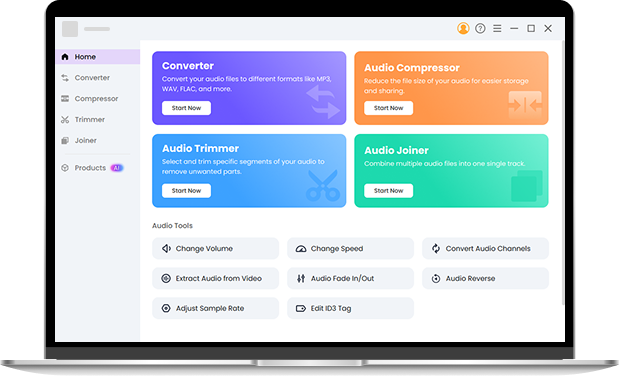
For more advanced audio tasks, Zestawy narzędzi Pro Audio offers professional features. You can batch convert OGG to WAV at high speed, compress audio without losing quality, trim tracks with advanced editing options like fade in/out, reverse, and speed adjustments, and merge multiple audio files while preserving the original sound. The toolkit works offline, supports multiple formats, and provides full control over audio projects with meta tags kept intact. Give it a shot.
FAQ
-
1. How do I convert OGG to WAV online?
Upload your file to the OGG to WAV converter online, choose WAV as the output format, click Convert, and download the finished file. The process is simple and works on any device with a browser.
-
2. Can I convert multiple OGG files at once?
Tak, OKmusi Zestawy narzędzi Pro Audio allows batch convert OGG to WAV, so you can upload several files at once. The audio converter processes them quickly and provides all the WAV files ready to download within seconds.
-
3. Is converting OGG to WAV really free?
Absolutely. You can convert OGG to WAV free online without creating an account, installing software, or paying a fee. The service is fully anonymous and secure.
-
4. Can I use this OGG to WAV converter on a Mac?
Tak, OKmusi audio converter works perfectly on Mac browsers. You can convert OGG to WAV on Mac with no installation, and it maintains the original audio quality.
-
5. What if I need to convert .OGG files to other formats?
You can also convert .OGG to MP3, FLAC, WAV, and other formats using OKmusi OGG to WAV converter. The interface lets you choose the output format easily while preserving high-quality audio.
Online OGG to WAV Converter Capabilities
-
Anonymous and Hassle-Free
Start converting immediately without any registration or login, keeping your process simple and private.
-
Zgodność między różnymi platformami
Use the online OGG file to WAV converter on Windows, Mac, or mobile, enjoying consistent high-quality audio on any device.
-
Czysty interfejs
Enjoy a safe, ad-free, and simple online OGG to WAV conversion experience without distractions.
-
Dźwięk wysokiej jakości
Convert your OGG files to WAV with excellent sound quality, preserving every detail of the original track.
Daj nam 5 gwiazdek!
Pokaż swoją miłość, dając 5 gwiazdek!
We'll continue to offer best OGG to WAV converter.
Opinie